
Start with your plan
Know what is left before your next buy.
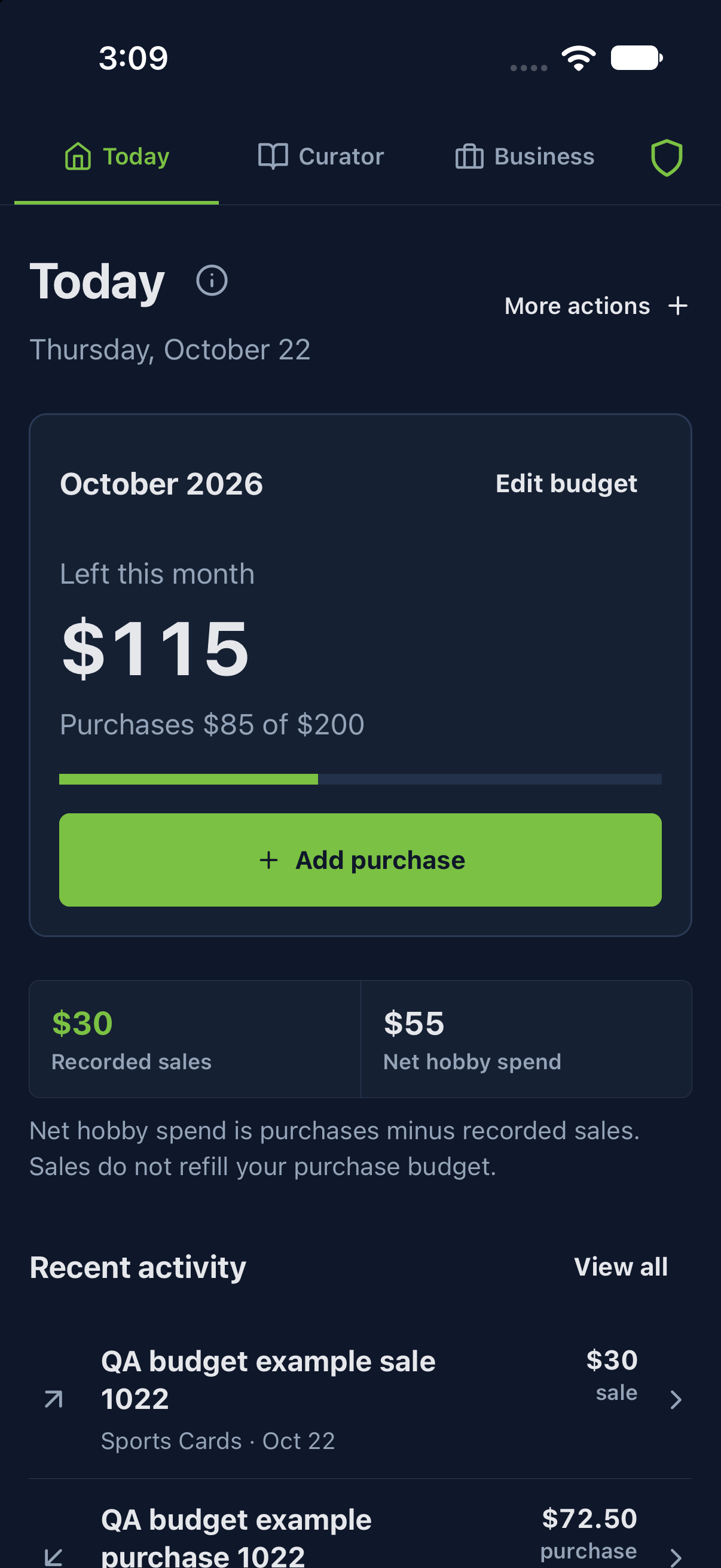
A monthly budget and recorded purchases answer one question. Sales and net hobby spend answer another. Learn to read both.
Plan your hobby budget →Free core lists and transactions have no count limit. Pro adds inventory and business tools.
Plan and track your hobby
Keep the plan, the purchases and the numbers connected.
Hobby budget
Plan what you can spend on your hobby, then compare that plan with recorded purchases.
FreeCategory budgets
Divide your monthly spending plan among the collectible types you want to track.
FreeLists
Organize what you own, what you want, and the pieces you are working toward.
FreeHistory
Keep a dated record of collector purchases and sales, then review the original entries.
FreeEvents
Plan a show or hobby event, attach useful lists, and review its recorded activity.
Access variesReports
Review recorded activity for a period and understand the completeness of seller economics before relying on totals.
FreeHobbyShield
Preview a planned purchase and use voluntary purchase checks alongside your general monthly budget.
Prepare, sell and understand the result
Pro workflows for the physical copies worth managing.
Business
Follow a whole collection buy through selected stock and a sale, keeping cash recovery separate from item profit.
ProInventory
Track the exact physical copies you intend to prepare, locate and sell.
ProCollection buys
Retain the whole lot's cash outlay while assigning known costs to selected copies and reviewing sale recovery.
ProSales
Record the exact copy sold and follow the gross sale through net proceeds to item profit before operating expenses.
ProBusiness expenses
Record operating costs separately from inventory purchases and review where each expense applies.
ProShow tools
Prepare selected stock and labels, then record the exact copies sold in a show deal. This updated flow is being prepared for the next app update.
Care for your records
Understand access, estimates, recovery and your account.
Curator
Keep each physical copy's identity, condition, photos, story and location together.
ProEstimates and pricing updates
Review sourced estimate suggestions and choose which eligible changes to apply to your records.
Access variesData and backup
Choose a recovery or export file that actually includes the records and photos you need. Date-review controls are in the next app update.
Access variesAccount, sync and Pro
Use your own 5Line Account, check synchronization and understand which access comes from Pro.
Use the guide alongside your app
Control labels and available workflows can vary by release, device and account. Worked examples are fictional. Connected Curator requires Pro and a private-beta invitation; Pro alone does not unlock it. Estimates are sourced suggestions, with no guarantee of market value or a live pricing feed.
Essential feature instructions are bundled in the app for offline use. These full guides need a working connection.
Need a hand? Open support →